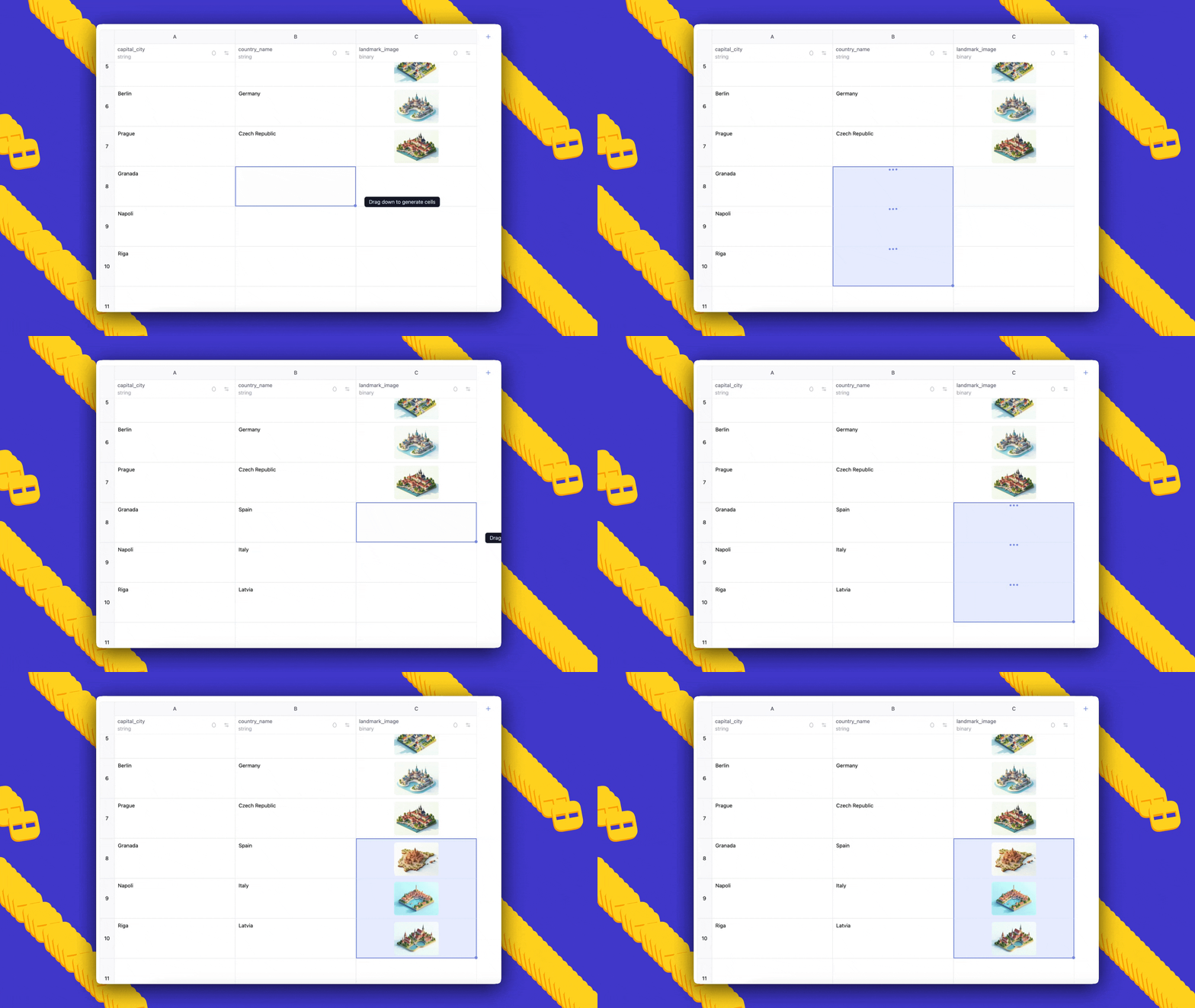
Introducing AI Sheets: No‑code dataset building and enrichment with open models
Sources: https://huggingface.co/blog/aisheets
TL;DR
- AI Sheets is an open-source, no-code spreadsheet-like tool for building, transforming, and enriching datasets using AI models.
- It runs in the browser via a Hugging Face Space or can be downloaded and deployed locally from GitHub.
- You can use thousands of open models from the Hub through Inference Providers or local models (including gpt-oss from OpenAI) and iterate by editing cells to provide few-shot examples.
Context and background
Hugging Face released AI Sheets, a tool designed to let users interactively build and refine datasets using AI models without writing code. The interface resembles a familiar spreadsheet paradigm where each new column can be generated by composing a natural-language prompt that references existing columns. AI Sheets integrates tightly with the Hugging Face Hub and the open-source model ecosystem, offering access to models via Inference Providers or by running models locally. The tool is aimed at experimentation workflows: users start small with a few rows to refine prompts and behavior before scaling up to larger or costlier generation runs. AI Sheets can be tried immediately in a hosted Space or installed from source for local deployment.
What’s new
AI Sheets introduces a no-code environment for several dataset workflows:
- Creating datasets from scratch by describing the desired structure and content in natural language (an “auto-dataset” or “prompt-to-dataset” feature).
- Importing existing datasets and adding AI-generated columns for transformations, classifications, analyses, enrichment (including web searches when enabled), and synthetic data generation.
- Iterative prompt refinement directly in the spreadsheet: manual edits and validation actions are incorporated as few-shot examples for subsequent regeneration of column content.
- Model comparison and automated judging: add one column per model to compare outputs, and create a judge column that uses an LLM to evaluate or rank responses. The product is available to try without installation at the hosted demo: https://huggingface.co/spaces/aisheets/sheets and the code can be downloaded from the repository: https://github.com/huggingface/sheets.
Why it matters (impact for developers and enterprises)
AI Sheets lowers the barrier to rapid data-centric experimentation by providing a familiar spreadsheet interface combined with model-driven automation. Key impacts include:
- Faster iteration on prompts and data formats: teams can preview and refine outputs on a handful of rows before committing compute resources to large-scale generation.
- Flexible model access: the ability to use thousands of Hub models via Inference Providers or local models enables testing of open models and proprietary stacks in the same workflow. The release explicitly mentions support for models such as gpt-oss from OpenAI.
- Data augmentation and cleaning: tasks like removing punctuation, extracting ideas, categorizing text, or filling missing fields (e.g., zip codes) can be handled via simple prompt-driven columns.
- Reproducibility and portability: exporting datasets to the Hub produces a config file that can be reused for large-scale generation jobs and downstream applications. For enterprises and developers building data pipelines or preparing training data, AI Sheets offers a quick way to prototype data transformations, test multiple models against the same inputs, and capture human-in-the-loop corrections that improve automated outputs.
Technical details or Implementation
User interaction model
- Interface: AI Sheets uses a spreadsheet-like interface. Each dataset is shown as editable rows and columns where new columns are created by writing prompts. Prompts can reference existing columns using placeholder syntax (for example,
{{text}}). - Iteration loop: after generating a column, users can manually edit cells or “like” results. Those edits and likes are automatically included as few-shot examples the next time the column is regenerated or expanded.
- Column configuration: users can change the prompt, switch models or inference providers, toggle options such as “Search the web” for external lookups, and then regenerate the column. Model access and deployment
- Hosted demo: Try AI Sheets without installation at https://huggingface.co/spaces/aisheets/sheets.
- Local deployment: The source code is available at https://github.com/huggingface/sheets for users who want to run AI Sheets locally or self-host. For local use, Hugging Face recommends subscribing to PRO to obtain 20x monthly inference usage if you want to maximize inference capacity.
- Models: AI Sheets can call thousands of models available on the Hugging Face Hub via Inference Providers, or use local models. The announcement explicitly includes gpt-oss from OpenAI as an example of supported open models. Export and scale
- Exporting to the Hub: When you export a dataset to the Hugging Face Hub from AI Sheets, the tool generates a configuration file describing the prompts and the few-shot examples derived from edits/validations. That config can be reused to generate larger datasets with automated jobs or to reuse prompts in downstream applications. Practical examples and workflows
- Model comparison: import a dataset of prompts/questions and add one column per model, each with a prompt like: “Answer the following:
{{prompt}}”. Optionally, add a judge column with a prompt that evaluates multiple model outputs. - Data cleaning/transformation: to normalize text, add a column with a prompt such as “Remove extra punctuation marks from the following text:
{{text}}” and regenerate after validating examples. - Classification and analysis: add columns that categorize or extract key ideas with prompts like “Categorize the following text:
{{text}}” or “Extract the most important ideas from the following:{{text}}”. - Enrichment and web lookups: for tasks like finding missing zip codes, enable the “Search the web” option and use a prompt referencing an address column.
- Synthetic data generation: create a small prompt-to-dataset describing the structure (for example, a professional bio column), then generate dependent columns like realistic emails written by that persona.
Below is a quick comparison of example tasks and the suggested column prompt style.
| Task | Example column prompt
|---
|---
|Answering prompts / model comparison | Answer the following:
{{prompt}}|Cleaning text | Remove extra punctuation marks from the following text:{{text}}|Classification | Categorize the following text:{{text}}|Analysis / extraction | Extract the most important ideas from the following:{{text}}|Enrichment (web) | Find the zip code of the following address:{{address}}|
Key takeaways
- AI Sheets is a no-code, spreadsheet-style tool for dataset creation, transformation, enrichment, and model comparison using open models or local models.
- It supports iterative human-in-the-loop refinement by using manual edits and validations as few-shot examples.
- The tool can be tried on Hugging Face Spaces or deployed locally from the GitHub repository; exporting to the Hub generates reusable configs for scaling.
- Use cases include prompt tuning, model benchmarking, data cleaning, labeling, enrichment, and synthetic data generation.
FAQ
-
How can I try AI Sheets without installing anything?
You can try the hosted demo at https://huggingface.co/spaces/aisheets/sheets.
-
Where can I get the source code to run AI Sheets locally?
The project repository is available at https://github.com/huggingface/sheets.
-
What models can AI Sheets use?
AI Sheets can use thousands of open models from the Hugging Face Hub via Inference Providers or local models; the announcement mentions support for gpt-oss from OpenAI as an example.
-
How do manual edits affect generation?
Manually edited or liked cells are incorporated as few-shot examples and will be used when regenerating or expanding columns.
-
Can I export datasets and reuse prompts at scale?
Yes. Exporting to the Hub generates a config file you can reuse to run larger generation jobs and apply prompts in downstream applications.
References
- Try AI Sheets (hosted demo): https://huggingface.co/spaces/aisheets/sheets
- Source code and local deployment: https://github.com/huggingface/sheets
- Example dataset produced with AI Sheets: https://huggingface.co/datasets/dvilasuero/jsvibes-qwen-gpt-oss-judged
- Original announcement: https://huggingface.co/blog/aisheets
More news
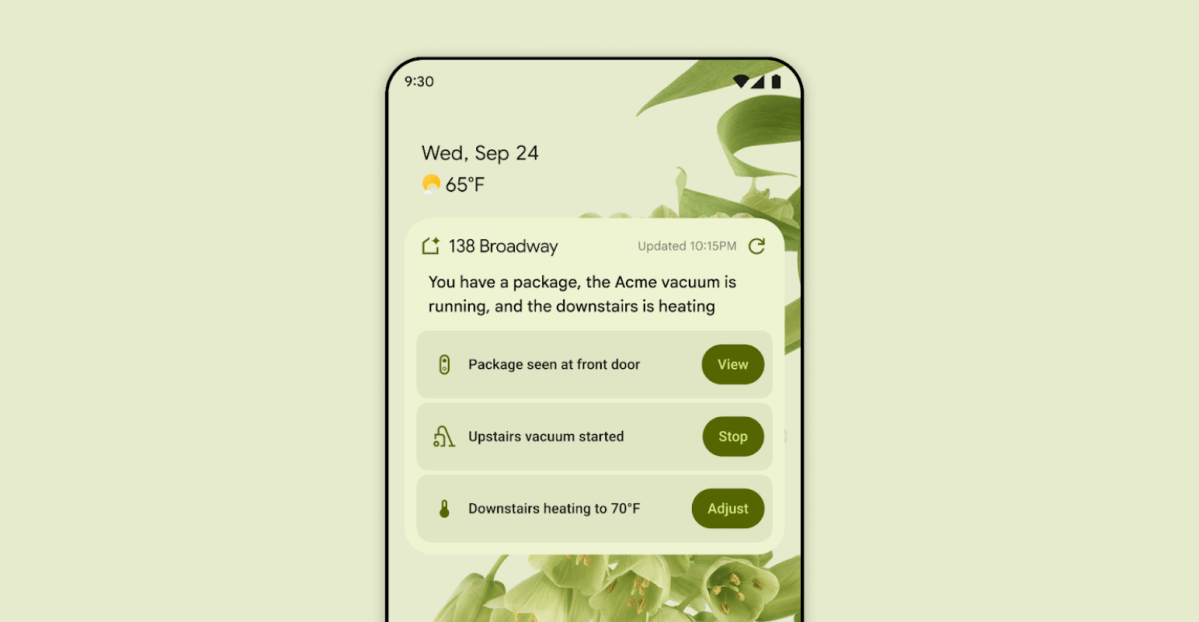
First look at the Google Home app powered by Gemini
The Verge reports Google is updating the Google Home app to bring Gemini features, including an Ask Home search bar, a redesigned UI, and Gemini-driven controls for the home.
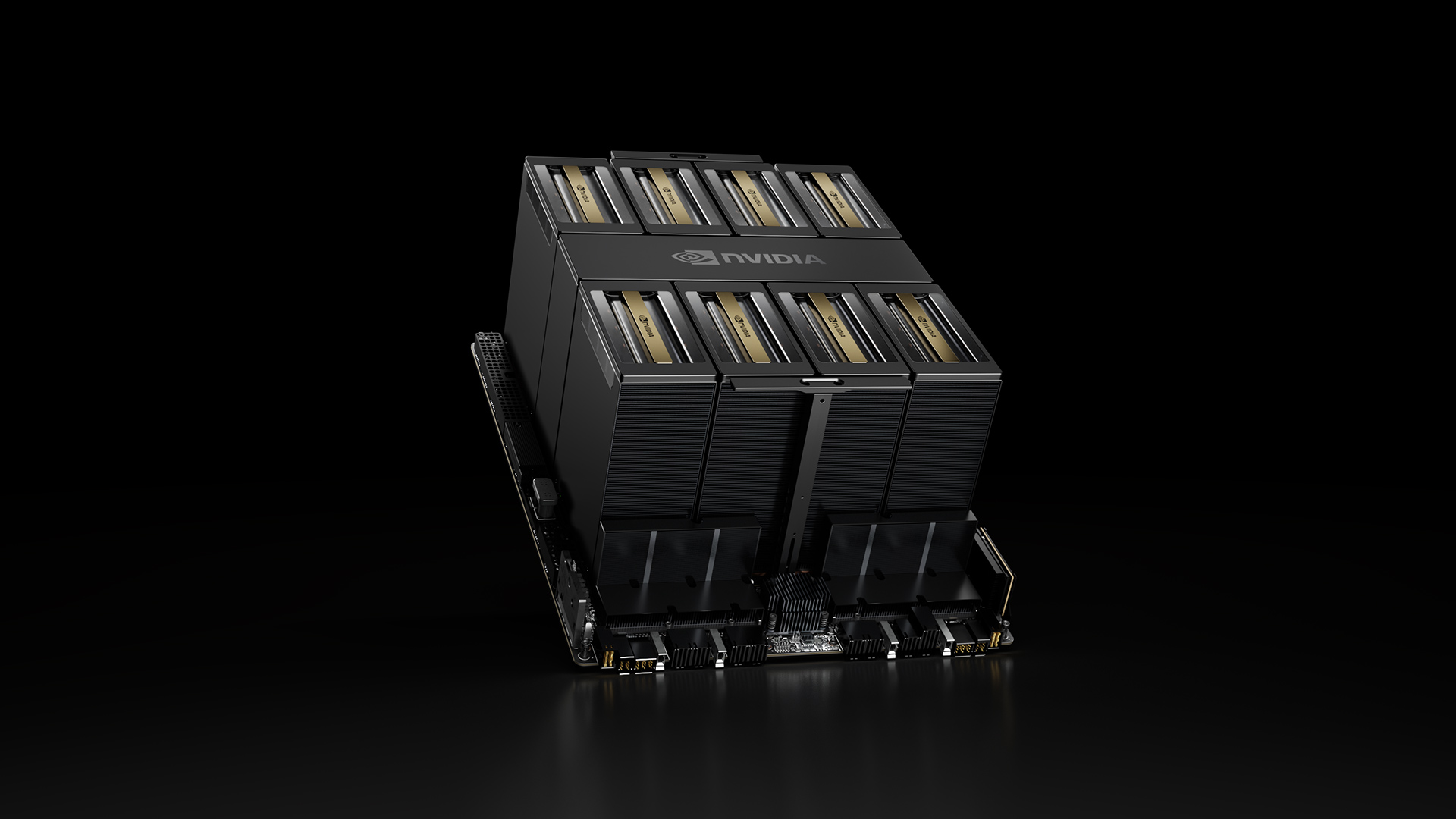
NVIDIA HGX B200 Reduces Embodied Carbon Emissions Intensity
NVIDIA HGX B200 lowers embodied carbon intensity by 24% vs. HGX H100, while delivering higher AI performance and energy efficiency. This article reviews the PCF-backed improvements, new hardware features, and implications for developers and enterprises.

Shadow Leak shows how ChatGPT agents can exfiltrate Gmail data via prompt injection
Security researchers demonstrated a prompt-injection attack called Shadow Leak that leveraged ChatGPT’s Deep Research to covertly extract data from a Gmail inbox. OpenAI patched the flaw; the case highlights risks of agentic AI.

Predict Extreme Weather in Minutes Without a Supercomputer: Huge Ensembles (HENS)
NVIDIA and Berkeley Lab unveil Huge Ensembles (HENS), an open-source AI tool that forecasts low-likelihood, high-impact weather events using 27,000 years of data, with ready-to-run options.

Scaleway Joins Hugging Face Inference Providers for Serverless, Low-Latency Inference
Scaleway is now a supported Inference Provider on the Hugging Face Hub, enabling serverless inference directly on model pages with JS and Python SDKs. Access popular open-weight models and enjoy scalable, low-latency AI workflows.

Google expands Gemini in Chrome with cross-platform rollout and no membership fee
Gemini AI in Chrome gains access to tabs, history, and Google properties, rolling out to Mac and Windows in the US without a fee, and enabling task automation and Workspace integrations.